mynd Storyboard · storyboard studio with AI
Script, storyboard and animatic. Written, sketched and narrated by AI, in your style.
Drop in your script, notes and reference images, add your brief, and the AI Director writes the scenes, sketches every frame and narrates the animatic in one click, in your studio’s style. Or do any part by hand, and review it all with your client.
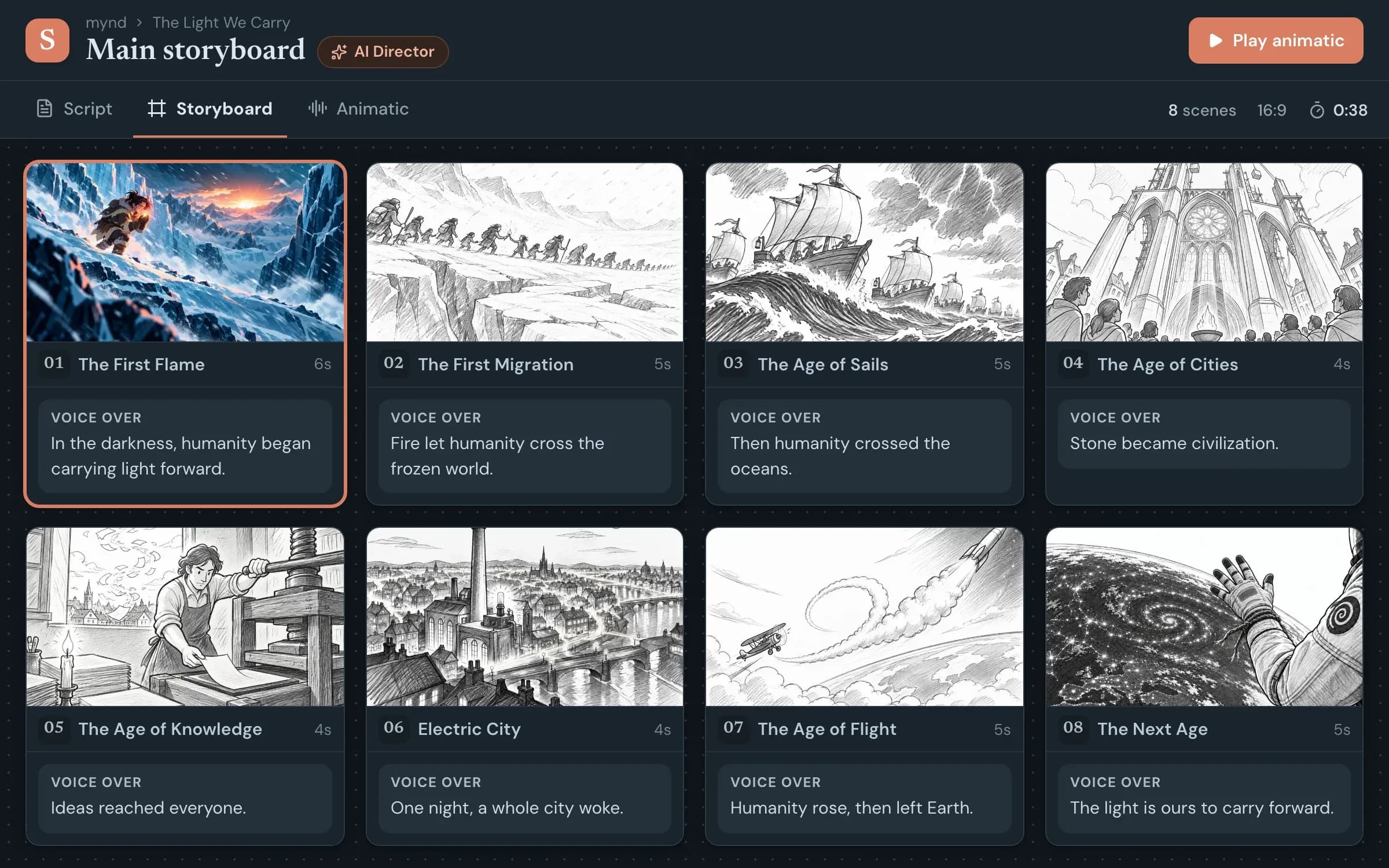
From your brief to the approved animatic.
Let AI do all of it, part of it or none of it. Every scene, frame and voice-over stays editable, and every AI change is saved as a new version.
1/5 Drop in your files
Start from what you already have.
Import a Word, CSV or text script, paste in your notes or a client brief, and add reference images, characters and places. The scene structure in your tables is kept; free text is split into scenes by AI without changing your wording.
- Word, CSV and text scripts
- Notes, briefs and reference images
- Your characters, places and props
Made by a studio that storyboards for a living.
We built mynd Storyboard for our own explainer videos and e-learning courses. Every feature solves problems we met in real productions.
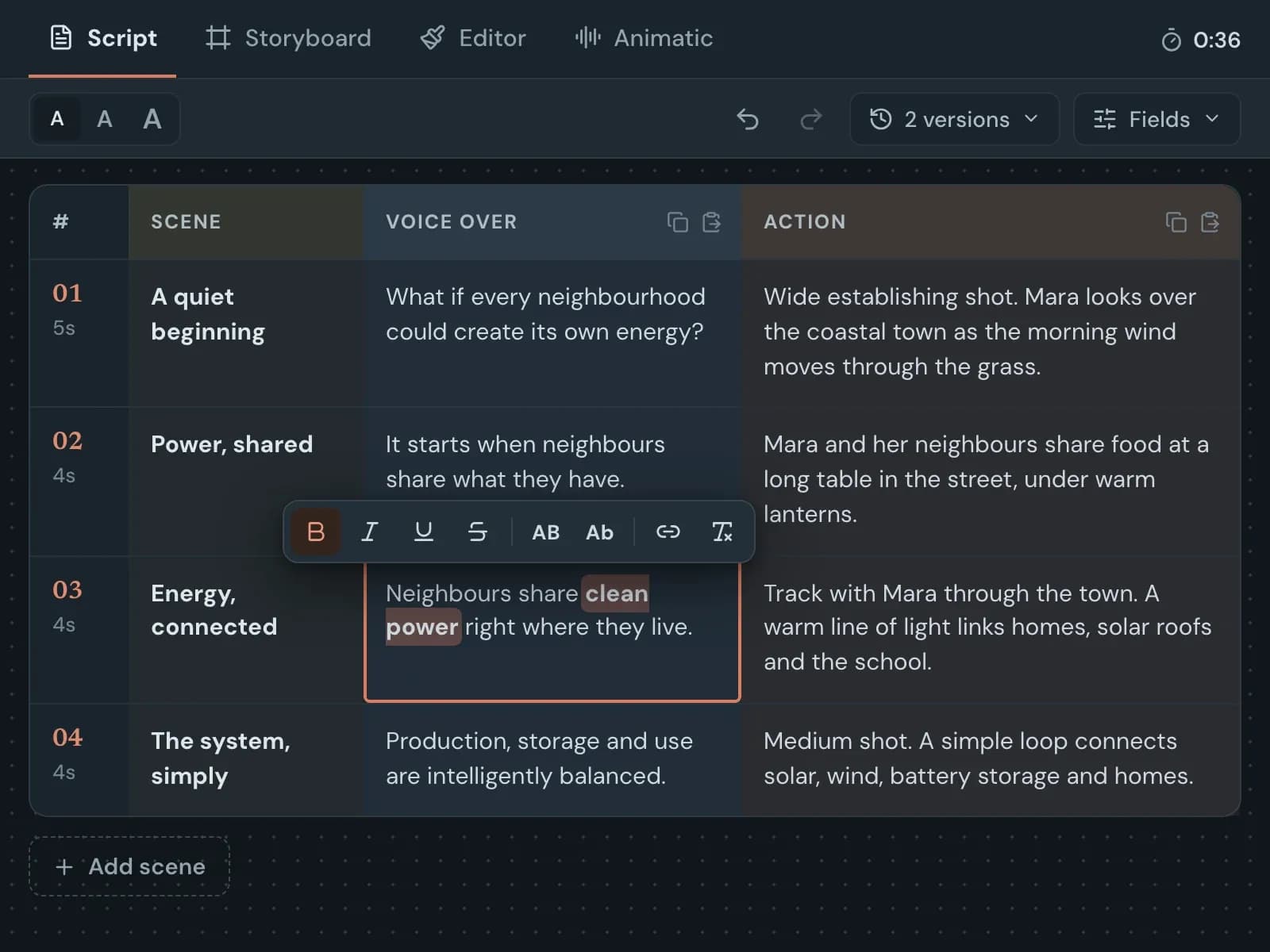
Script and storyboard in one
Write in script rows or on storyboard cards. Both edit the same scenes, and everything is saved as you type.
Flexible fields
Fields for voice-over, action, director’s notes, shots or your own, each colour-coded and hideable from your client.
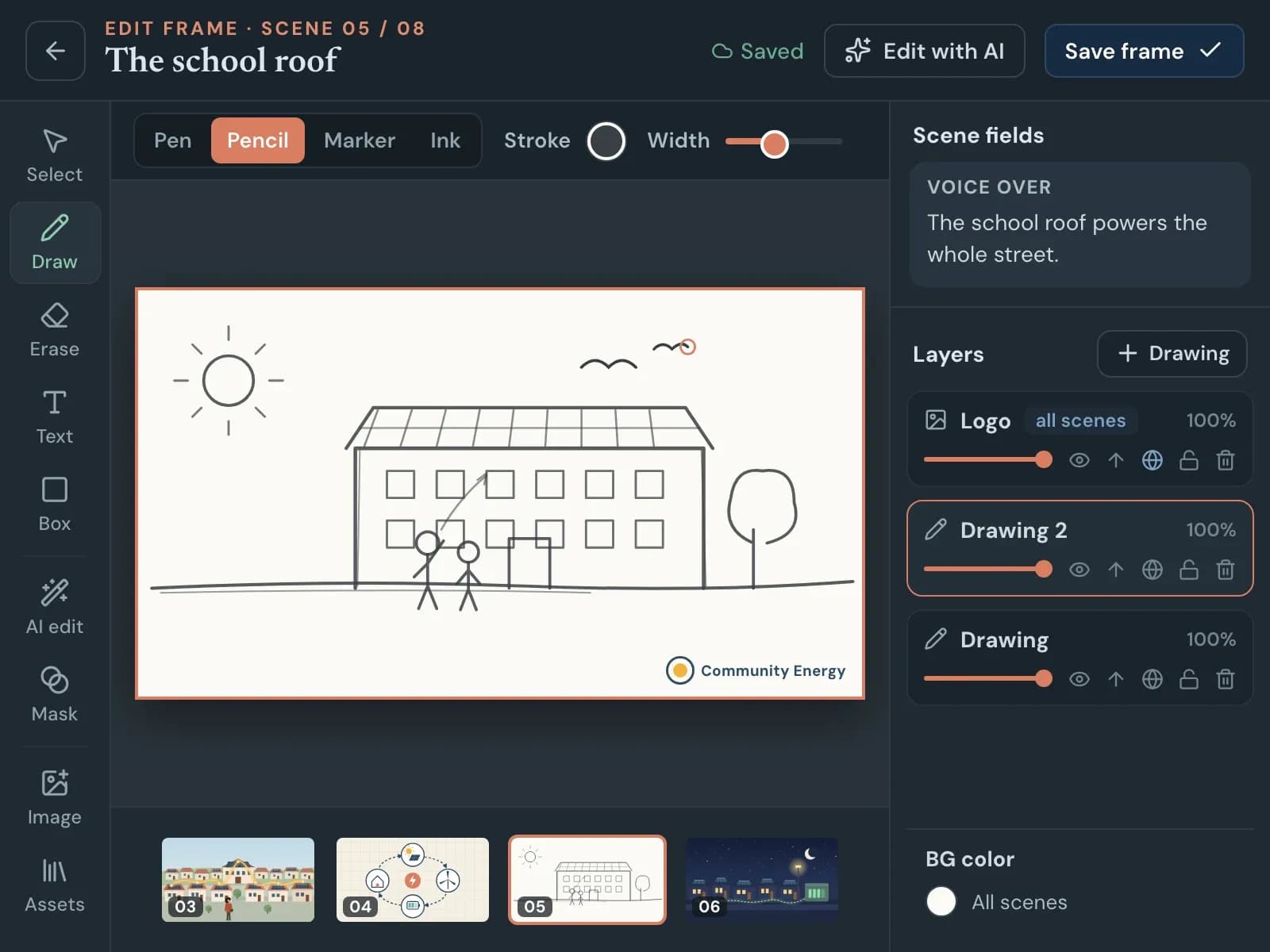
A real frame editor
Draw with pencil, ink or marker, add text, shapes and images, and keep every element as an editable layer.
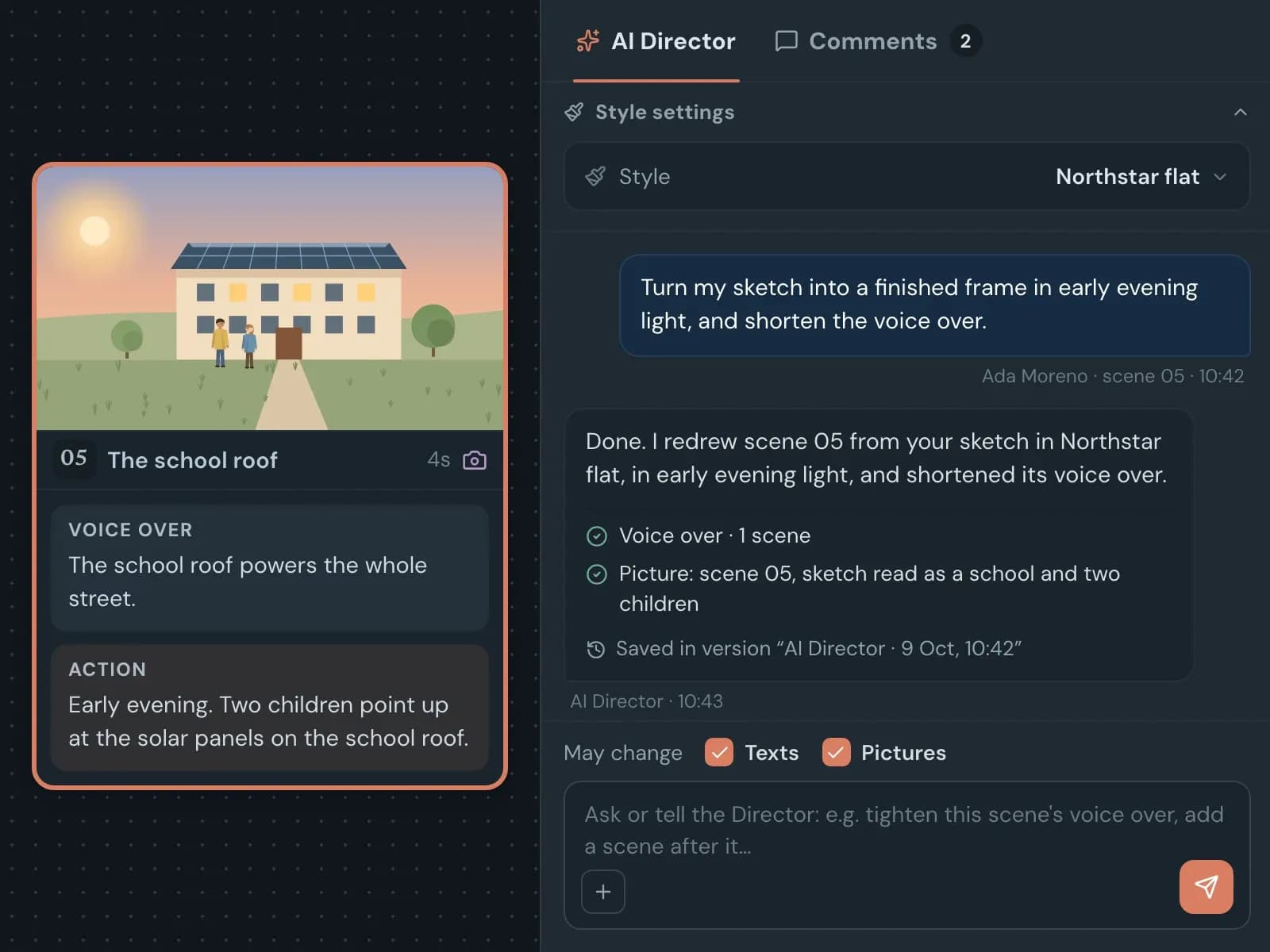
AI Director
Writes the scenes, sketches every frame and fixes anything you ask in plain words, in your style, saving every change as a new version.
Consistent characters and style
Characters, places and props with reference images, plus your studio’s own styles, keep every AI frame on model.
Timing and voice-over
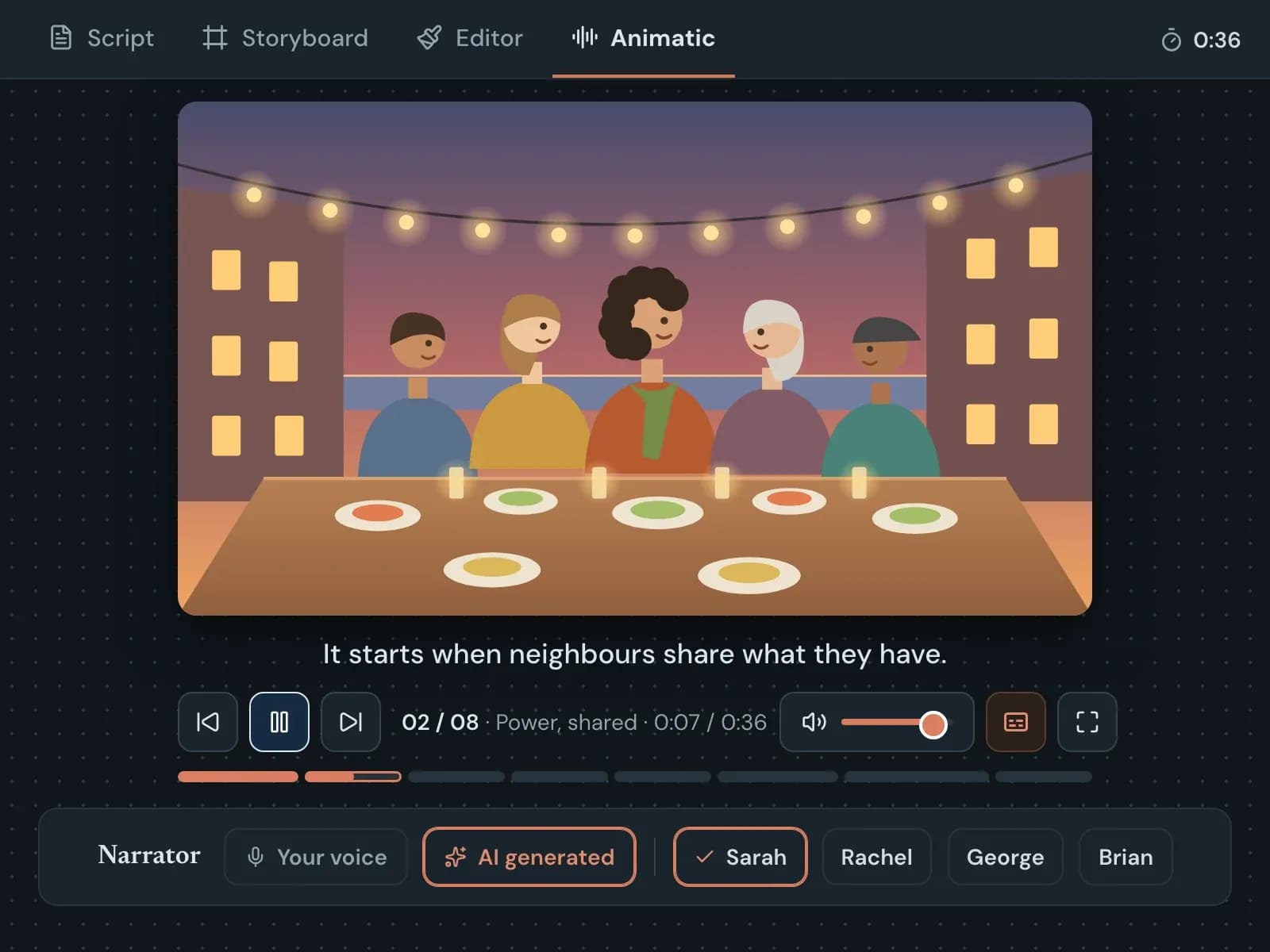
Scene lengths follow the voice-over, and the animatic plays it with an AI narrator or your own recorded takes.
Client review links
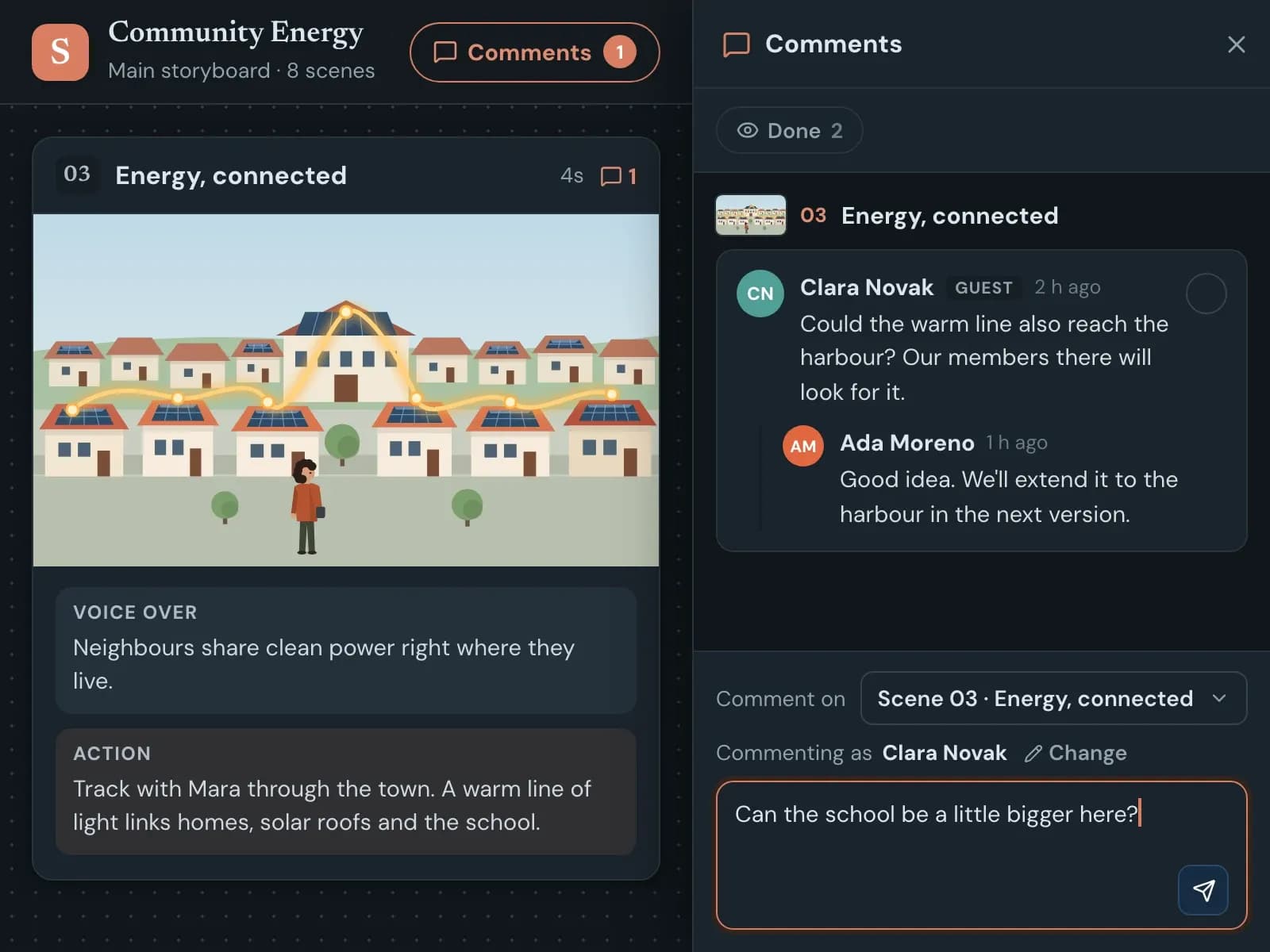
Share the storyboard or animatic, no account needed for your clients. Collect scene comments and reply in the same thread.
Translations that stay in sync
Translate a field into another language as a linked column that flags "Needs update" when the original changes.
Export for production
Storyboard and script PDFs, frames as a zip, an MP4 animatic or a ready-to-build After Effects project.
Everything you need to know about mynd Storyboard.
Scripts, AI, client review, languages, export and pricing. Missing something? Call us or ask the chat in the bottom right corner.
01Do my clients need an account to review?
No. A share link opens the storyboard, and the animatic if you include it, in the browser. If you allow comments on that link, the client only types their name to comment on a scene.
02Can the AI create the whole storyboard?
Yes. Drop in your script or notes, add your brief and reference images, and ask the AI Director for the whole storyboard: it writes the scenes and draws every frame in your studio’s style. In the animatic, it generates the voice-over for all scenes with one click. You can also let it do only part of the work, or none of it.
03What does the AI do, and can I control it?
The AI Director rewrites or translates texts, adds scenes and draws or redraws frames when you ask it to. You control whether it may change texts, pictures or both. A redrawn frame keeps the old one in its history, and every chat is saved as a version you can go back to.
04Can we switch the AI off for confidential projects?
Yes. With AI disabled in a project’s settings, nothing from that project is sent to any AI service, and all other features keep working. You can also limit a project to selected team members.
05Will characters look the same from frame to frame?
That is what assets and styles are for: a character, place or prop with a description and a reference image is sent along whenever it is named, and neighbouring frames are used for continuity. It helps the AI stay consistent; you can always refine a frame by hand.
06Which languages are supported?
Translate fields into dozens of languages as linked columns that flag when the original changes. On the share link, reviewers can pick a language and see only the fields in that language. The interface itself is in English.
07What can I export?
A storyboard PDF, a script PDF, all frames as a zip, the animatic as an MP4 video with voice-over, or an After Effects project with editable text layers. White-label exports remove your logo and the mynd Storyboard credit line.
08What does it cost?
You can start free with 2 projects and 1,000 AI credits to try the AI, given once when you open your account, no credit card required. Paid plans start at around €39 per editor per month for single creators and around €79 per editor per month for teams, billed annually, each with a monthly AI credit allowance. Your clients review for free through share links. Extra credits come in packs, and larger studios get a custom agreement. The final price depends on editors and AI usage.
09Is it suitable for e-learning?
Yes, for planning: e-learning is its own project type, and the frame editor has placeholders for interactions such as multiple choice, hotspots, drag and drop and knowledge checks, so every screen is laid out clearly for the developer. To build the finished course, take a look at mynd Learning.
Want to storyboard your next project in mynd Storyboard?
Tell us what your team produces and how you work with clients today. We will show you mynd Storyboard with a project like yours and set up your studio.