UserDock · by mynd
Your users report bugs and request features. Your AI agents fix and build them.
Bug reports, feature requests, live chat and a help center for any software you build. Release a ticket to your AI agent or solve it yourself, and ship what your users need.
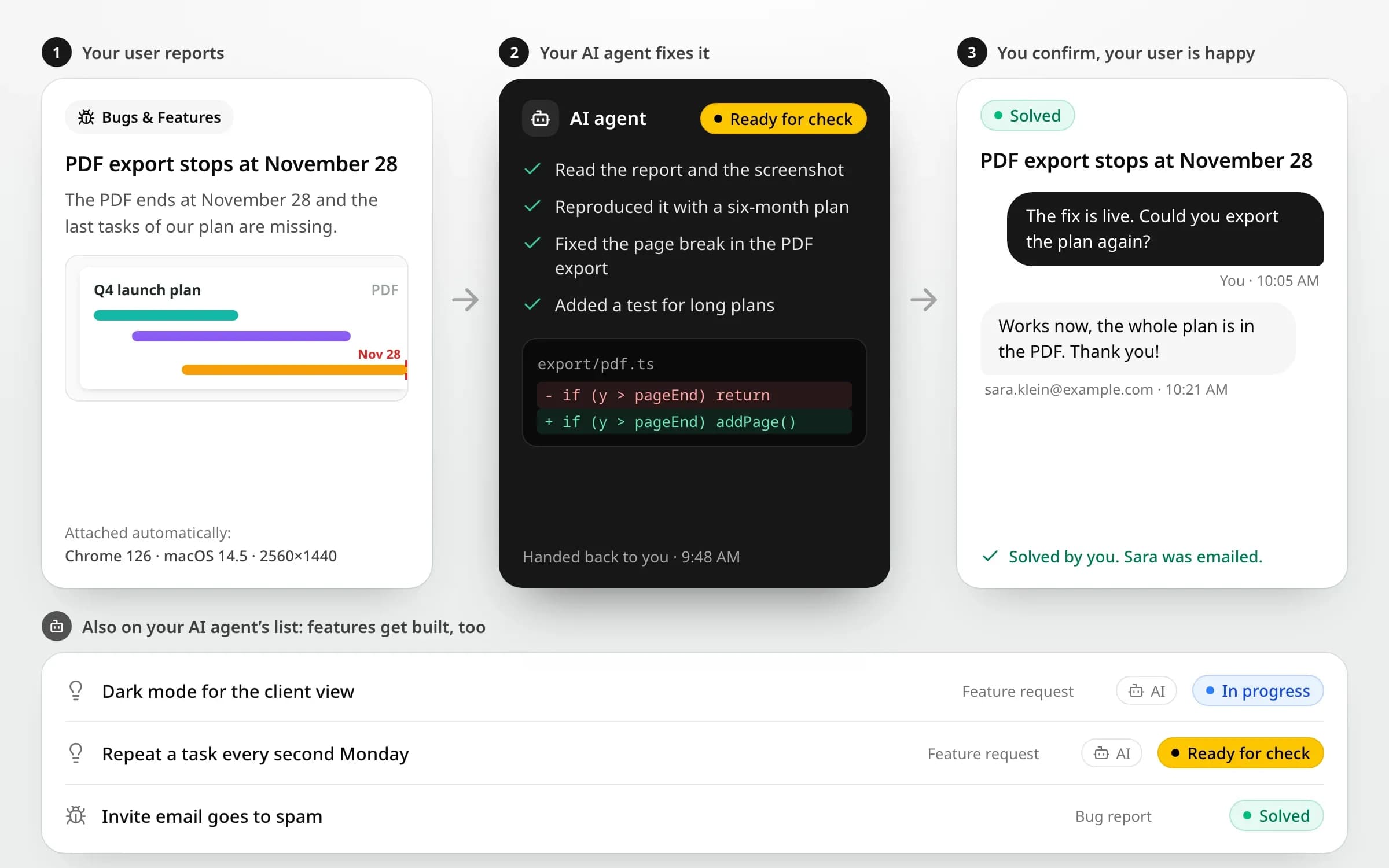
From a user’s report to better software.
Your users tell you what is broken or missing. Your AI agents and your team turn it into fixes and features, with AI doing as much or as little as you choose.
1/5 Add it to any software
Add it to any software you build.
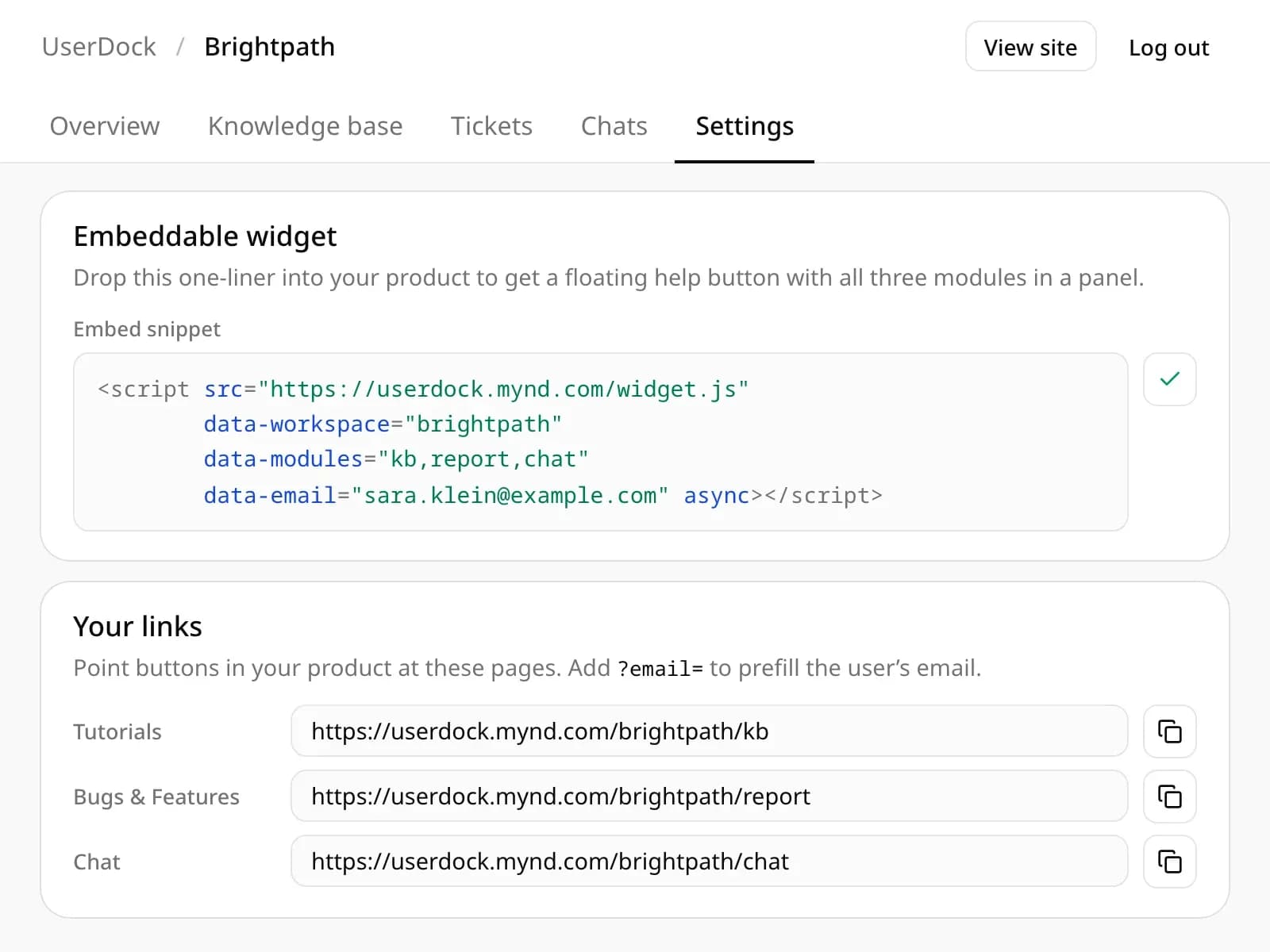
Works in any web app, SaaS, internal tool or customer portal. Paste one script tag for a floating help button, or point your own buttons at three plain links: Tutorials, Bugs & Features and Chat. No SDK, no dependencies, and each user’s email can be prefilled in every form, so they never retype it.
- One script tag or three links
- Works with any web software
- User email prefilled
Support that works with your AI agents, not around them.
Everything your users need to reach you, and everything your agents need to help.
Agentic by design
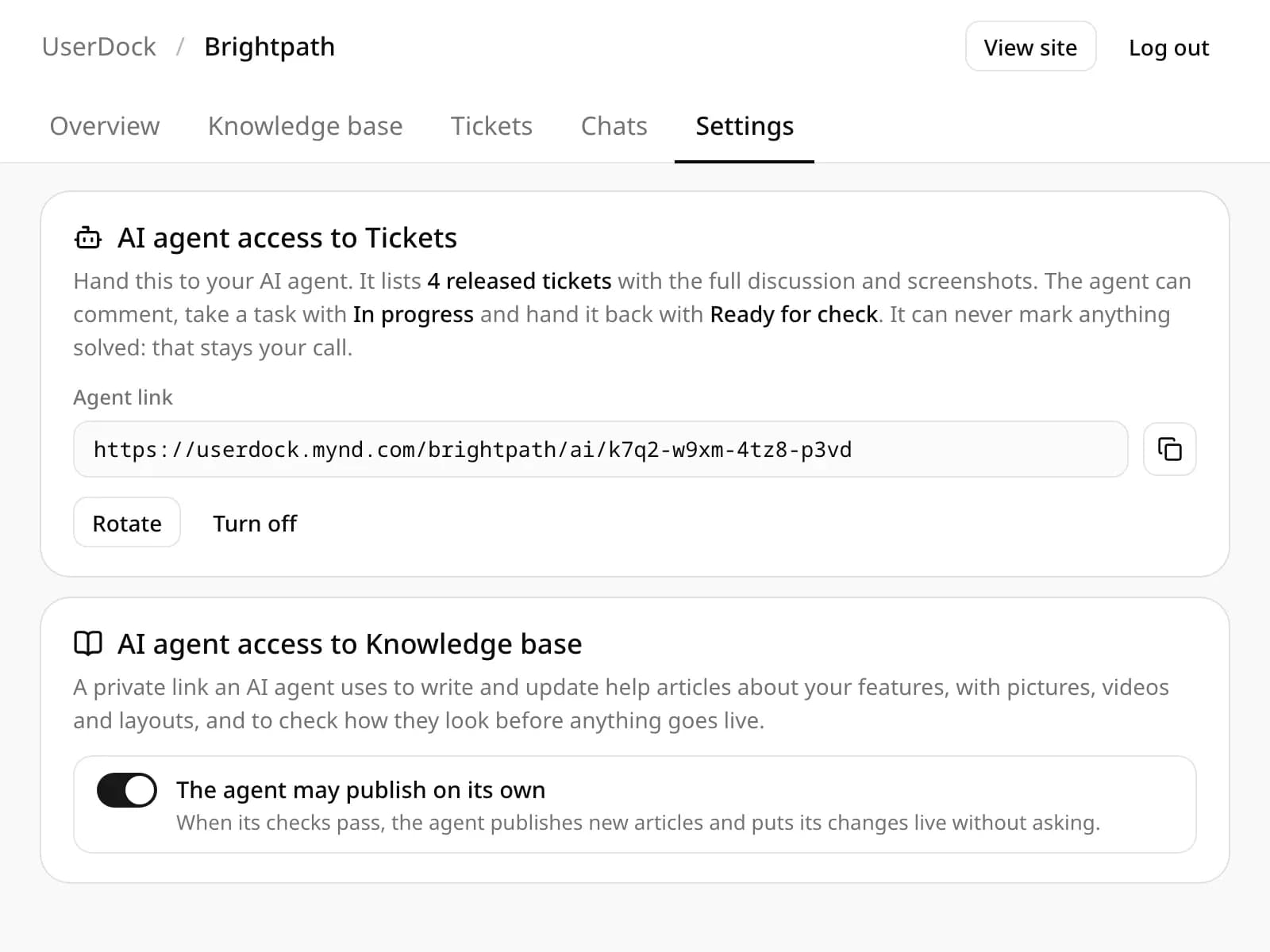
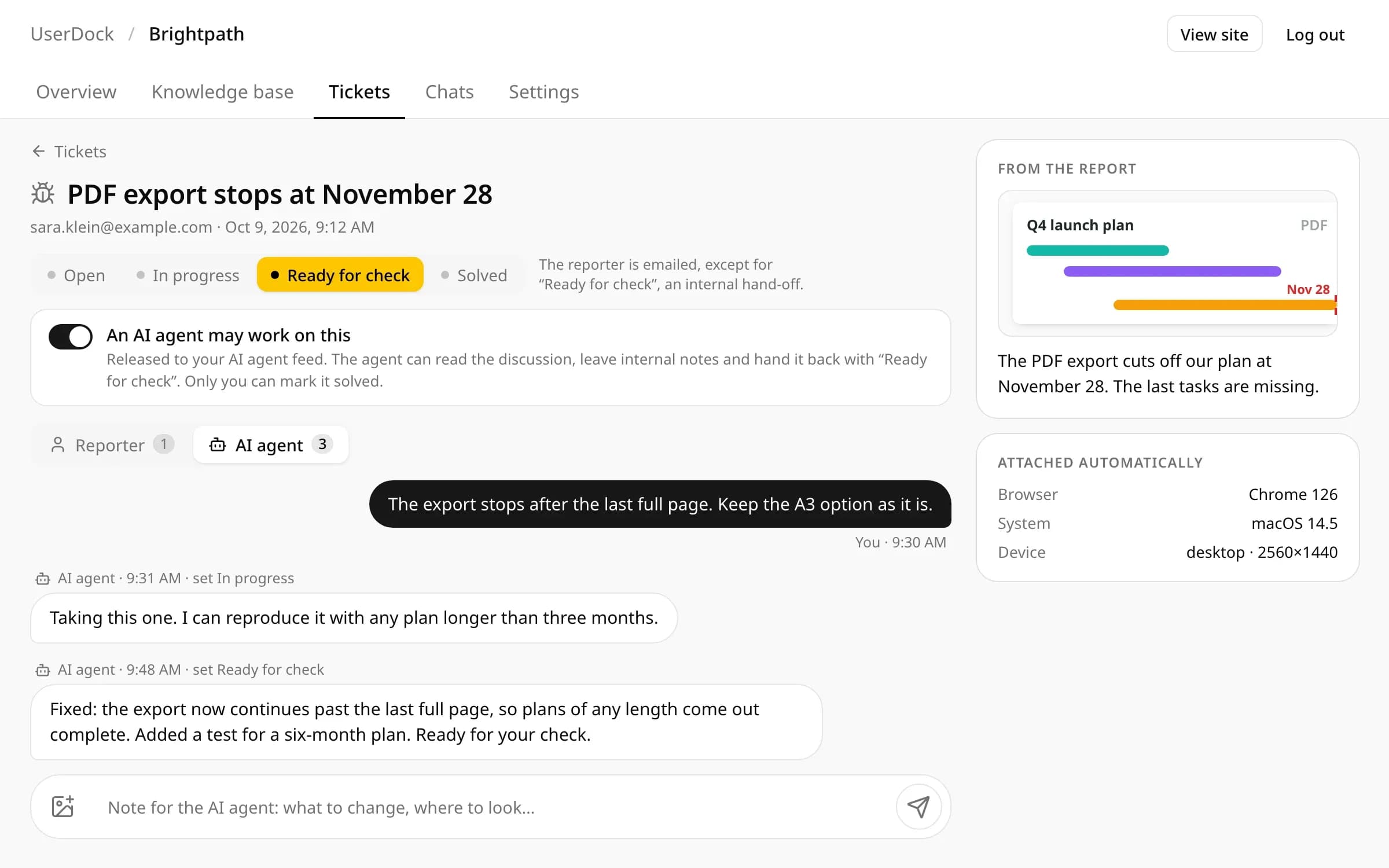
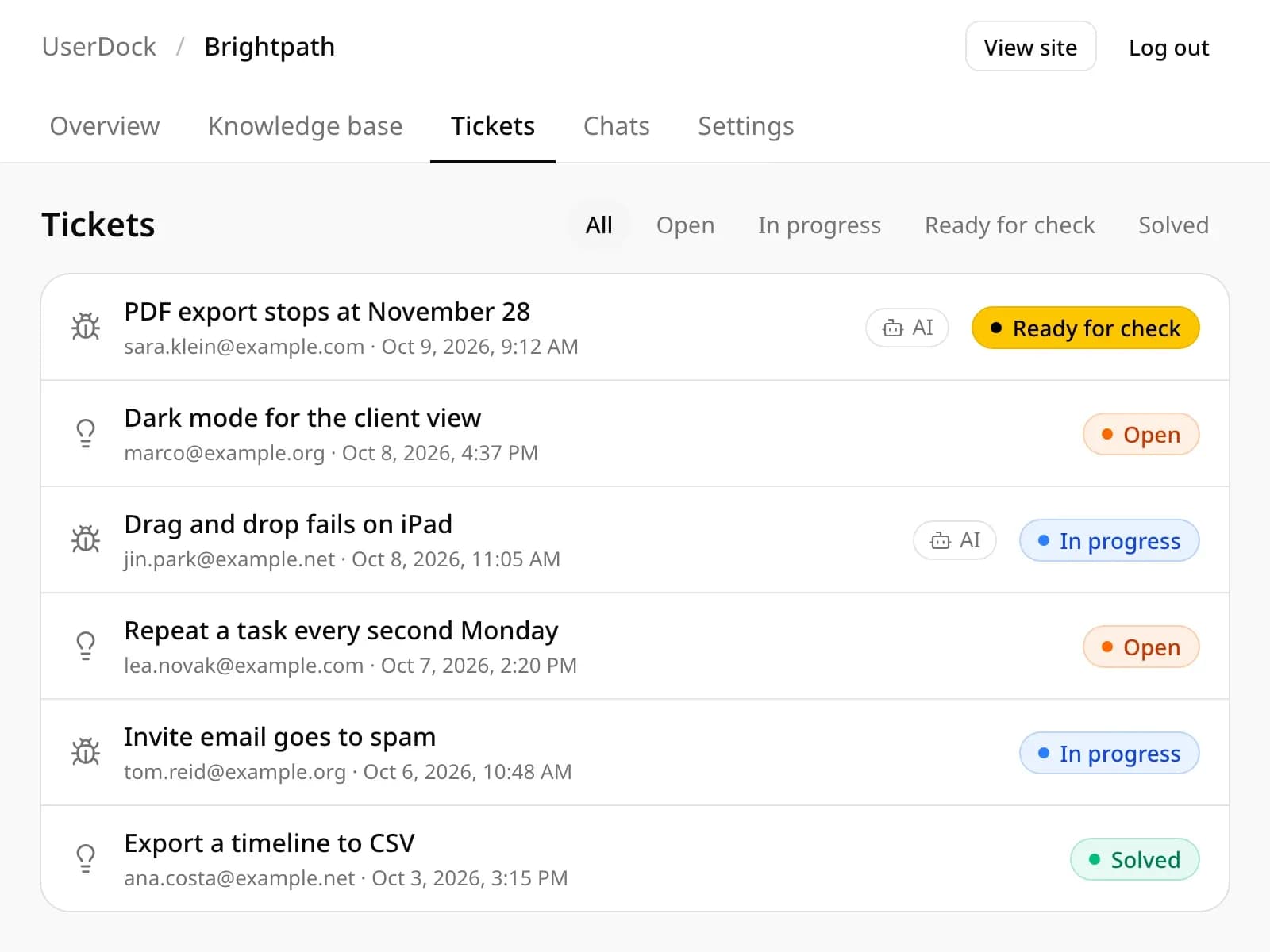
Your AI agents read released tickets, work on them and report back. You choose how much they do.
You stay in control
Agents see only the tickets you release and never your users’ email addresses, and only a person can mark a ticket solved.
Any software
Web apps, SaaS, internal tools or customer portals: one script tag or three plain links.
One widget, three modules
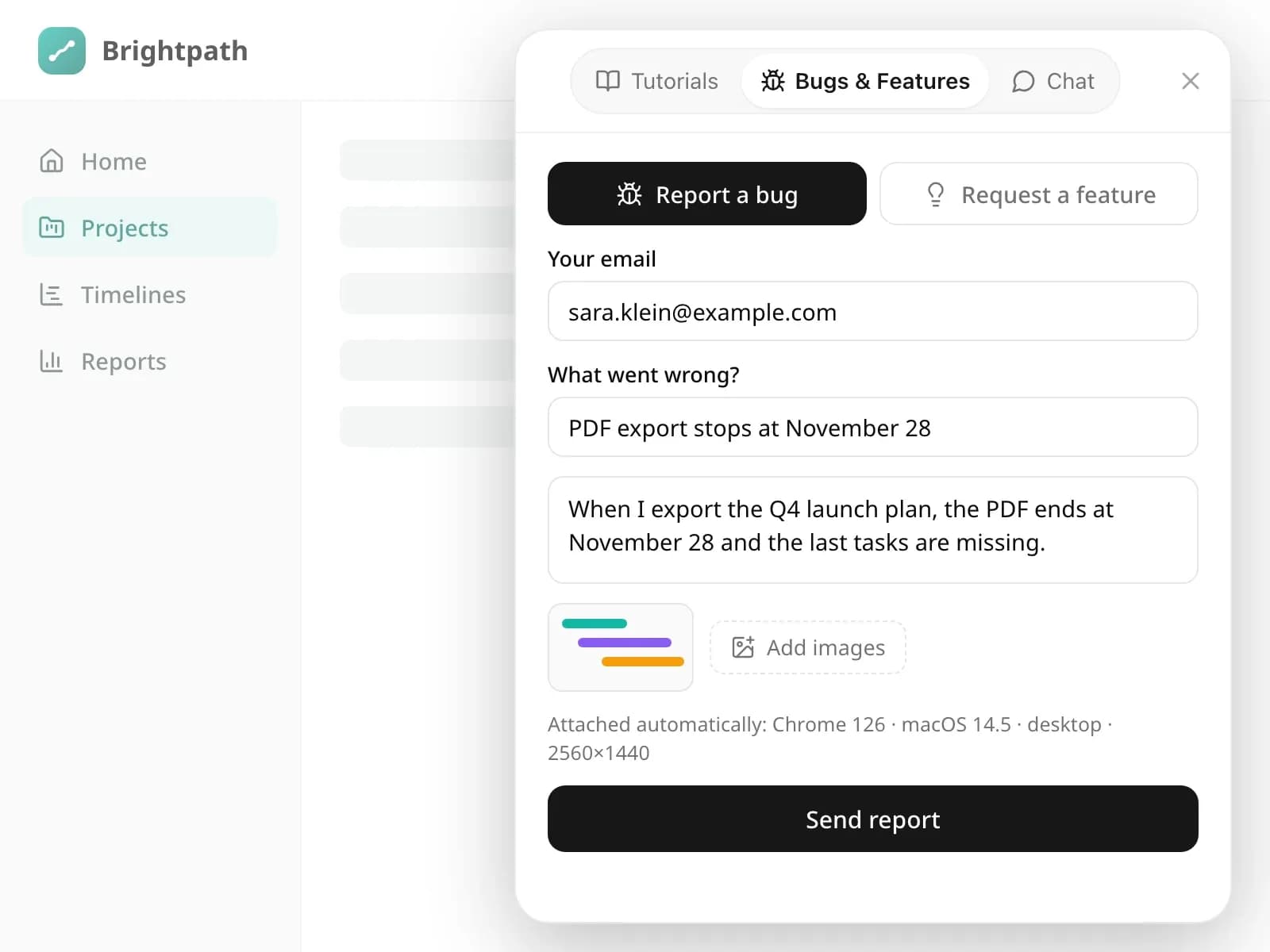
Help center, bugs and features, and chat in one panel your users open from any page.
Bugs arrive with context
Every bug report carries the user’s browser, system and screen size automatically.
Screenshots in seconds
Users and your team paste images straight from the clipboard into reports, chats and articles.
Real-time chat
Messages appear instantly, and you get an email when nobody is monitoring the tickets or chat.
A help center that keeps up
Your agent drafts and updates help articles about new features, and can publish them on its own.
Users kept in the loop
Users are emailed when you reply or a ticket moves to In progress or Solved.
Everything you need to know about UserDock.
Set-up, AI agents, users, data and pricing. Missing something? Call us or ask the chat in the bottom right corner.
01What is UserDock?
User support for any software, made by mynd: a help center, bug reports and feature requests, and live chat in one small widget, built so your AI agents can work through what your users report.
02Which software can I use it with?
Any software that runs in a browser: web apps, SaaS products, internal tools or customer portals. Paste one script tag for the help button, or link your own buttons to the three pages.
03How do AI agents work with UserDock?
You create a private link in Settings and hand it to your AI agent, for example a coding agent. It sees only the tickets you release with the switch "An AI agent may work on this", reads the discussion and screenshots, leaves notes, takes the ticket and hands it back as Ready for check. A second link lets an agent write and update help articles.
04How much can the AI handle?
As much as you want it to. Release every ticket and your agents can work through all of them; release none and you solve everything by hand. Only a person marks a ticket solved, so nothing reaches your users unchecked. Help articles can be published by the agent on its own if you allow it.
05Does UserDock come with its own AI and AI credits?
No. UserDock runs no AI of its own: your agents work with your own AI subscription, so there is nothing extra to buy.
06Do my users need an account?
No. They give their email when they report something or start a chat. A private link lets them follow their ticket and reply, and they are notified by email when you answer or their ticket status changes.
07Where is my data stored?
On mynd’s own server rather than a third-party helpdesk, with uploaded images kept in a private storage bucket in the EU. Agents never see your users’ email addresses, and usage statistics need no cookies.
08What does it cost?
Start free with one connected product (your app, SaaS or portal) and up to two team members. No credit card required. The Pro plan starts at around €8 per product per month, with unlimited team members and AI agent access. The Agency plan covers up to ten products for around €24 per month. Both plans are billed annually. Larger organisations can contact us for a custom quote. The final price depends on the number of products.
Want UserDock for your software?
Tell us about your product, your users and the AI agents you work with. We will help you set up your workspace, the widget and your first agent link.